Misspellings & Synonyms
Adding misspellings and synonyms to your posts ensures that users find what they’re looking for, even if they use a different word or accidentally hit the wrong key. This enhances user satisfaction and also increases the likelihood of conversions.
Super Speedy Search has two different areas for misspellings and synonyms. Either site wide through the main settings tab, or on a per product basis.
Search engines treat misspellings and synonyms identically, both are just extra words that map a query onto a matching item. That’s why the “Synonyms” box happily holds common typos too, there is no separate misspellings field to hunt for.
Main Settings
Set the site wide synonyms here. It’s also possible to add misspellings here, despite the name, the feature works the same way.
Go to Dashboard > Settings > Super Speedy Search > Synonyms
[](https://staging.superspeedyplugins.com/assets/super-speedy-search-settings-synonyms-2.png)
Adding synonyms to this area will affect every single post that includes the synonyms. Make sure the synonyms match the product title or the category:
Use site wide synonyms for terms that apply across the whole catalogue (couch/sofa, trainers/sneakers, jumper/sweater) and reserve the per product box for one off words that only ever describe a single item. Keeping the site wide list tight means fewer false matches for everyone.
Now search for one of the synonyms (couch) and matching results (sofas) will display:
[](https://staging.superspeedyplugins.com/assets/super-speedy-search-ajax-synonyms-2.png)
Product Specific Misspellings and Synonyms
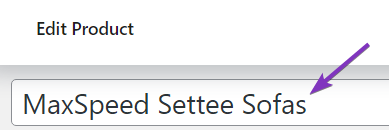
Maybe there’s a product that has a high chance if being misspelled. Add other variations of the word in the “Misspellings & Synonyms box to be sure the product displays in the search results.
Go to Dashboard > Products > Edit Products or edit the product from the respective product page.
[](https://staging.superspeedyplugins.com/assets/super-speedy-misspellings-edit-2.png)
[](https://staging.superspeedyplugins.com/assets/super-speedy-misspellings-match.png)


Comments