WebToffee Product Import Export vs Super Speedy Imports
Want faster results? Try Super Speedy Imports on your store.
Get Super Speedy Imports →WebToffee vs Super Speedy Imports: SSI combines automatic recognition, visual mapping, draft preview and browser importing for product feeds. WebToffee is worth considering when its free CSV export, grouped-product support or paid spreadsheet integrations match your task.
Last updated: 15 September 2026. This comparison is written by the maker of Super Speedy Imports. Current workflow features are described separately from the older benchmark results.
A visual import workflow for ordinary WordPress users
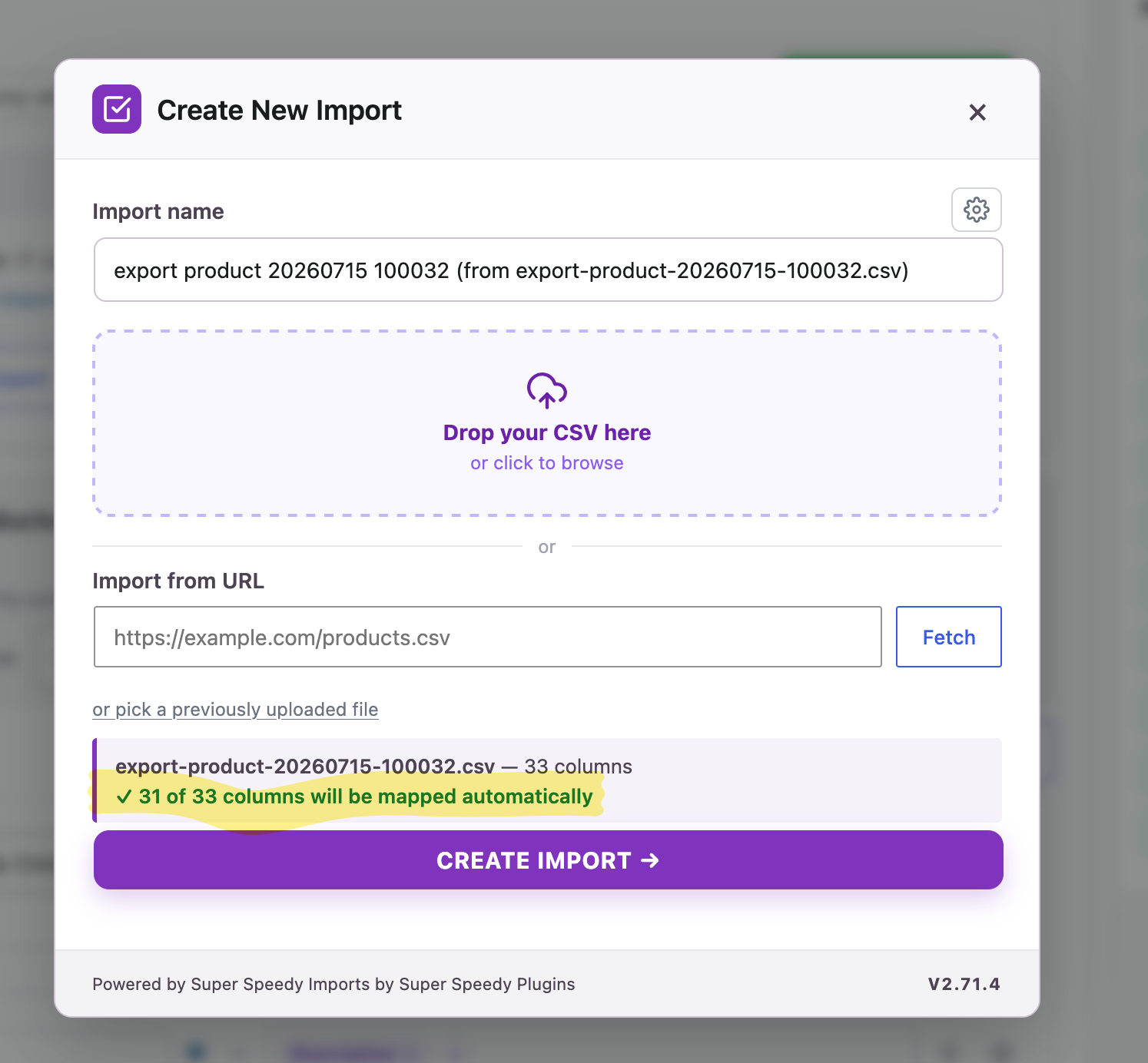
Upload your file, let SSI recognise the fields, then see your data in the visual mapping editor. Drag fields into place, preview your first item as a draft and run the import in WordPress. The browser shows progress as your products or content are imported.
The auto-classifier uses column names and sample data to propose destinations. You can accept or dismiss suggestions and drag source fields into place. See the mapping screen walkthrough and how automatic mapping works.
What WebToffee Product Import Export offers
WebToffee’s free product importer handles CSV import and export, including simple, grouped and external products. Its paid Product Import Export plugin adds variable products, XML and spreadsheet formats, scheduling and other integrations. This page compares those editions explicitly; the linked speed test used Free.
Both products let you map incoming data, import products and repeat updates. SSI brings suggested mappings, source values, draft preview and browser progress into that workflow.
Ease of use and feature comparison
The SSI column describes the paid edition of Super Speedy Imports. Competitor Free and Pro differences are labelled in the table. Sources are linked below; “not documented” identifies a feature the reviewed guide does not establish.
| Feature | Super Speedy Imports | WebToffee Product Import Export |
|---|---|---|
| Setup in WordPress | Create, map and run imports in WordPress. No terminal required. | Staged WordPress import wizard, with quick import and reusable templates. |
| Field mapping | Drag source-field chips into destinations; edit mappings beside sample values. | Column-selection mapping; Pro also documents expressions. |
| Automatic recognition | Auto-classifier proposes mappings using headers, aliases and sample data. Accept or dismiss suggestions. | Matching header names map automatically; unmatched names need selection. |
| Check source rows | Browse source rows and inspect sample values while mapping. | Pro mapping shows source values and can evaluate a value from the first record. |
| Preview the imported result | Create a separate draft of the first complete item, inspect it, then discard it. | A full imported-product draft preview is not documented in the reviewed product guide. Field evaluation is a different check. |
| CSV and XML | CSV and XML. Upload XML through Migration Tools; conversion happens inside SSI. | Free: CSV. Pro adds XML and spreadsheet formats. |
| Import execution | Run Now in the browser with progress and issues. CLI is optional; scheduling is included. | Browser batch imports; scheduling and remote sources are paid capabilities. |
| Repeat updates | Reuse saved configurations and match existing records, including products by SKU. | Reusable templates and product matching by SKU or ID. |
| WP All Import saved-job migration | Select a saved WP All Import job in Migration Tools and convert its settings into an editable SSI configuration. | No saved-WP-All-Import-job converter documented in the reviewed product guides. This is not a claim of tested absence. |
| Remove imported records | Remove records associated with an import, with confirmation and configured Trash/permanent deletion. Does not restore old values. | No equivalent per-import record-removal action documented in the reviewed guide. Test the required cleanup before switching. |
| History and issues | Import history, stage progress and row issue reporting. | Import/export history and downloadable import logs. |
| Product and content types | Posts, pages and WooCommerce products, including variable products, custom post types and advanced fields. | Free includes simple, grouped and external products. Pro adds variable and additional product types. |
| Images | Featured images, galleries and advanced product capabilities. | Free product import/export includes image data; check the target type and required edition. |
| Export | CSV export is a beta feature, enabled by default; separate from importing XML. | CSV export included in Free. Pro adds formats and further controls. |
| Schedules and integrations | Schedule saved imports; configure matching and update rules in WordPress. | Pro supports scheduled imports/exports and FTP/SFTP; specialist compatibility is documented by WebToffee. |
| Speed evidence | See the linked benchmark for tested versions, settings and catalogue outcomes. | Historical test compares WebToffee Free with Super Speedy Imports; WebToffee Pro was not tested. |
XML importing without an external converter
Upload XML in Migration Tools. SSI detects the record path and converts the file internally, ready for visual field mapping. You can choose a different record path, inspect the source values and run the import in the same browser interface you use for CSV.
Switching from WebToffee
Start with the same product CSV. SSI recognises WebToffee header conventions, including taxonomy, attribute and metadata prefixes. Review the proposed mappings and choose the identifier that matches your existing products. Preview a complete product before running the file.
SSI recognises the WebToffee CSV conventions and proposes the matching fields. Save that configuration for your next update, including what should happen to products missing from subsequent feeds. SSI also has a separate saved-job migrator for WP All Import.
Preview, repeat updates and removal
SSI’s first-item preview creates a separate draft through the import pipeline. Open it to inspect your mapped title, content and product fields, then discard the preview and run your import.
Save your mapping and use an identifier such as SKU to update the same products on your next run. Choose which values to update. SSI also gives you separate controls for discarding previews, removing imported records and deleting saved configurations.
Read the benchmark with its conditions
Read the WebToffee Product Import Export benchmark for the measured workload, software versions, test conditions and verified catalogue results.
That benchmark compares WebToffee Free with Super Speedy Imports. The update outcomes differ in missing-product handling, and image downloads were excluded. Keep those differences in mind when choosing the test that represents your store.
Which one fits your job?
Choose SSI when automatic recognition, inspecting a draft product and repeating a browser import match the way you work. Choose WebToffee Free when you need its included CSV export or grouped-product workflow. Consider WebToffee Pro when its spreadsheet sources or specific integrations are requirements.
Compare the features your job needs before comparing licence prices. See current SSI plans and product details. Check current WebToffee Product Import Export packages.
Frequently asked questions
Does Super Speedy Imports need the command line?
No. Create, map, preview and run your import in WordPress. The command line is optional.
Does Super Speedy Imports import XML?
Yes. Upload your XML in Migration Tools. SSI detects the record path and converts the file internally into a working CSV, ready for visual mapping, preview and browser importing.
Does SSI have an export workflow?
Yes. Super Speedy Imports has CSV export as a beta feature, enabled by default. WebToffee Free also includes CSV export, while WebToffee Pro supports additional formats. Importing XML and exporting XML are separate capabilities.
Can I remove what Super Speedy Imports imported?
Yes. Use the import’s record-removal controls to move associated records to Trash or permanently delete them, according to your configuration. Deleting records does not restore earlier field values.
Sources and further reading
WebToffee Pro import and mapping guide · WebToffee Free feature list · WebToffee Pro feature list. Documentation checked 15 September 2026.
Import CSV and XML files with automatic field mapping, visual previews and fast imports inside WordPress. Bring your existing WP All Import jobs across with the built-in migrator.
What do others say about Super Speedy Imports?
Even using this early release, the import speed is amazing. Our previous plugin required months to import our large number of products. This tool takes minutes. The ability to run new product additions and updates will change the way we do business.
We've been using this plugin on our live site for a few weeks now and it's been a phenomenal game changer for us. Before with WP All Import, importing products from a supplier would take so long that by the time the import was done, it wasn't even accurate anymore. It was also taking so many resources that our backend would slowly crawl and was near unusable. Now, imports take a few minutes and we can run imports multiple times a day and can keep our products very up to date. We're still moving some imports from WP All Import over to this, but this plugin has been amazing for us. Thank you so much!
Super Speedy Imports Knowledge Base
View full Knowledge Base →- Allowing SSI to download images from private or loopback hosts
- Controlling which stages of an import actually run
- Customising Imports using SQL Filters
- Trashed items and deletes
- Undoing an import
- Wiping WordPress for a fresh SSI import
- Architecture Overview
- CLI reference
- Creating Add-ons for Super Speedy Imports
- Creating Custom Templates for Super Speedy Imports
- Run your own code when an import completes
- Stage system reference (developer)
- A tour of the import mapping screen
- Automatic column mapping
- Choosing your unique identifier
- Complete Guide to Updating Stock & Prices with Super Speedy Imports
- Controlling Super Speedy Imports with MCP
- Handling duplicate term slugs
- Import Stages
- Importing product identifiers, shipping and visibility
Articles about Super Speedy Imports
View all articles →Super Speedy Imports compared versus other products
- Dropshipping XML Free vs Super Speedy Imports
- Spreadsheet to WordPress vs Super Speedy Imports
- Product Import Export for WooCommerce vs Super Speedy Imports
- Datafeedr vs Super Speedy Imports
- WooCommerce Product CSV Import Suite vs Super Speedy Imports
- Import Export Suite for WooCommerce vs Super Speedy Imports
What's new in Super Speedy Imports?
2.85 (6th August 2026)
- Fixed larger variable-product imports failing at `Finalizing fix-attributes` with "Error: timeout"
- The attribute filter table build now refreshes the database's optimizer statistics first, fixing multi-minute `Finalizing fix-attributes` waits on a brand-new or freshly restored store
- Every stage's finalize now has the same timeout recovery as the stages themselves, so work that outruns the browser's request timeout is watched to completion and re-run automatically where safe
- The After Import "Attribute filter table" choice is now radio buttons, with the fast bulk rebuild selected by default
- Deleting an import's products no longer starts WooCommerce's background attribute-lookup rebuild, because the delete already removes those rows in bulk
- With the option set to WooCommerce's own rebuild, a rebuild already in progress when an import finishes is restarted so it covers the newly imported products
- "Leave the table alone" now also applies when deleting an import's products
- Fixed term images and other term data not reaching hierarchical terms that already existed on the site, such as the leaf of a `Clothing > Hoodies` category path
- A product attribute's type, such as a colour swatch, now survives exporting your taxonomies and importing them again
- The term data mapper offers `product_attribute_color`, the swatch colour key the Variation Swatches plugins read, alongside the Super Speedy Filters one
- The bundled product demos carry colour swatches on their colour terms and icons on their category, brand, colour and size terms, and the variable products demo has gained brands
- New `superspeedyimports_stage_finalized` action for add-ons whose work depends on a stage's finalize results rather than its body
Want faster results? Try Super Speedy Imports on your store.
Get Super Speedy Imports →
Comments